

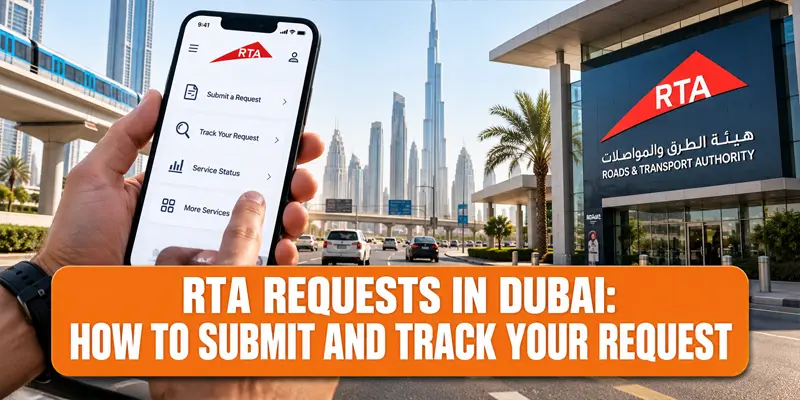

Dubai’s Roads and Transport Authority (RTA) manages a wide range of services covering roads, public transport, parking, driving, vehicle licensing and transportation infrastructure. Along with regular transactions, residents and visitors can submit RTA requests to Dubai for infrastructure issues, community transport needs, suggestions, complaints and other concerns.

RTA provides several digital and customer-service channels, including the RTA Dubai app, Madinati, the Community Engagement Platform, WhatsApp and the RTA website. Choosing the right channel depends on the type of request you want to make.
If you have already submitted a request, you can also track your RTA request online using the authority’s Requests Follow Up service. This guide explains how to submit an RTA request, which channel to use and how RTA request tracking works.
RTA Requests Dubai: What You Need to Know
RTA requests can cover a broad range of transport and infrastructure-related issues. These may include damaged roads and footpaths, traffic signals, road signs, public transport facilities and neighborhood-level transportation requirements.
However, not every issue should be submitted as a general request. RTA distinguishes between community requests, infrastructure reports, complaints, suggestions and standard vehicle or driver transactions. Selecting the appropriate service can help ensure that the request reaches the relevant department.
| Request Type | Suitable RTA Channel |
| Damaged road or footpath | Madinati |
| Traffic signal or sign issue | Madinati |
| Public transport infrastructure issue | Madinati |
| Community transport requirement | Community Engagement Platform |
| Service complaint | RTA complaint/feedback channels |
| General enquiry | RTA website or Call Centre |
| Vehicle or driving transaction | Relevant RTA service |
What Are RTA Customer Requests?
RTA customer requests allow people to communicate issues, needs and feedback related to Dubai’s transportation network. The authority’s customer-service system handles inquiries, notifications, suggestions, requests and complaints through different channels.
For example, if you notice a damaged footpath, malfunctioning traffic signal or problem with road infrastructure, you can report it through the appropriate RTA platform. Similarly, community members can submit requests related to local transport needs.
The important point is to provide accurate information. A clear description, precise location and supporting photographs can make it easier for RTA to understand the issue.
How to Submit RTA Request in Dubai
There are several ways to submit an RTA request, depending on what you need to report.
For community and infrastructure-related matters, RTA’s Madinati platform is one of the main digital channels. It can be accessed through the RTA Dubai app and other supported digital channels, including Mahboub on WhatsApp.
Step 1: Identify the Type of Request
Before submitting anything, determine whether your issue is a community request, infrastructure problem, complaint, suggestion or a standard RTA transaction.
This is important because different services are handled through different channels.
Step 2: Open the Relevant RTA Service
For road and infrastructure issues, open Madinati through the RTA Dubai app or the relevant RTA digital channel.
For community-level transportation needs, use the RTA Community Engagement Platform and access the Community Requests section.
Step 3: Select the Appropriate Category
Choose the category that most closely matches the problem. Depending on the service, this could relate to roads, footpaths, traffic signals, signs, public transport facilities or other infrastructure.
Step 4: Enter the Required Details
Provide a clear explanation of the issue. Include the exact location, such as the street name, junction, neighborhood or a nearby landmark.
If the service allows attachments, adding a clear photograph can provide useful context, particularly when reporting physical damage.
Step 5: Review and Submit
Check the information before submitting the request. Once the request is registered, keep the reference number or request details provided by RTA.
This reference is particularly important if you want to use RTA request tracking in Dubai services later.
How to Report Road or Transport Infrastructure Problems
Madinati is designed for reporting issues involving Dubai’s roads and transportation infrastructure. According to DubiCars’ guide, it can be used for problems involving roads, footpaths, traffic lights, road signs, public transport vehicles, stations and other transport infrastructure.
The service is particularly useful when you encounter a problem while travelling around Dubai. Instead of waiting to visit a service center, you can submit the information digitally.
When reporting an infrastructure problem, the location is one of the most important details. A photograph can also help demonstrate the nature of the problem.
How to Submit an RTA Request Through WhatsApp
RTA’s Mahboub digital assistant is available through WhatsApp and can be used for certain customer interactions. DubiCars reports that Madinati reporting is supported through WhatsApp, allowing users to send information about damaged infrastructure.
The official RTA WhatsApp number listed by DubiCars is +971 58 800 9090. Before sending sensitive information, users should make sure they are interacting with the official RTA channel.
How to Submit an RTA Complaint
An RTA request and an RTA complaint are not necessarily the same thing.
If you have experienced a problem with an RTA service, taxi, Metro, bus, parking, licensing transaction or another customer-service matter, the formal complaint and feedback channels may be more appropriate.
RTA’s customer-service system accepts complaints and notifications through different online and offline channels. The authority also states that its Call Centre handles inquiries, notifications, suggestions, requests and complaints.
For a complaint, provide as much relevant information as possible. Depending on the situation, this could include the date and time of the incident, vehicle or taxi details, station information or transaction details.
How Can I Track My RTA Request Online?
Once you have submitted a request, you can use RTA’s Requests Follow Up service to check its progress.
The official RTA Requests Follow Up page provides fields for the Reference No. and Requested Service, along with the date of request and current status.
To track your RTA request online:
- Open RTA’s Requests Follow Up service.
- Enter your reference number.
- Select the requested service where required.
- Select Go to retrieve the request.
- Review the displayed request information and status.
Keeping your reference number after submitting an RTA customer request therefore makes follow-up much easier.
What Information Do You Need to Track an RTA Request?
The most important information is the reference number associated with your request. The official follow-up page is structured around the reference number and requested service and displays information such as the date of request and status.
If you have multiple RTA requests, keeping each reference number separately can help you avoid confusion.
It is also useful to retain confirmation messages, screenshots or other details received when you initially submitted the request.
What Should You Include in an RTA Request?
A detailed request can make the issue easier to understand. RTA-related requests should generally contain information relevant to the particular case.
| Information | Why It Matters |
| Exact location | Helps identify where the issue is |
| Street or junction | Makes the location easier to locate |
| Date and time | Provides context for the report |
| Clear description | Explains what happened |
| Photograph | Helps illustrate physical problems |
| Vehicle or taxi details | Useful for relevant service cases |
| Reference number | Required for follow-up |
For infrastructure issues, photographs can be especially useful. For service-related cases, additional information such as a taxi number, station name, Nol card details or transaction reference may be relevant depending on the situation.
RTA Request Tracking Dubai: What Happens After Submission?
After submitting an RTA request, the case is handled according to the relevant service and department. The online Requests Follow Up system allows customers to check the recorded request information and status.
The processing time can vary depending on the type of request. Some matters require technical assessment or review before RTA can determine the appropriate action.
For example, DubiCars notes that requests related to traffic-calming measures may require technical assessment, with RTA indicating that approval or rejection can take up to 15 working days for that particular type of request.
Therefore, it is better not to assume that every RTA request will have the same response time.
What If You Cannot Track Your RTA Request?
If your reference number does not produce the expected information or you need clarification about your request, you can contact the RTA Call Centre.
RTA lists 800 9090 as its Call Centre number and states that it provides customer service 24 hours a day.
When contacting RTA, keep your reference number and relevant request details ready. This can help the customer-service representative locate the case more efficiently.
RTA Digital Services in Dubai
The move toward digital services has made it possible to handle many RTA interactions without visiting a customer center. The RTA Dubai app, website-based services, Madinati, Mahboub and online customer feedback channels provide different ways to interact with the authority.
However, digital convenience does not mean every service uses the same platform. Vehicle registration, driving licence services, infrastructure reports, complaints and community requests can follow different procedures.
The best approach is to identify the service first and then use the corresponding RTA channel.
Quick Look: RTA Requests in Dubai
| Feature | Details |
| Authority | Roads and Transport Authority, Dubai |
| Main customer service number | 800 9090 |
| Infrastructure reporting | Madinati |
| Community requests | RTA Community Engagement Platform |
| Digital assistant | Mahboub |
| Request tracking | Requests Follow Up |
| Tracking information | Reference number and requested service |
| Useful supporting information | Location, description, date/time and photographs |
Tips for Submitting RTA Customer Requests
When making RTA requests in Dubai, accuracy is important. Avoid vague descriptions such as simply saying that there is a road problem. Instead, mention the exact location and explain what is wrong.
If possible, attach a clear photograph. For issues involving roads, traffic signals, signs or public transport infrastructure, visual information can help communicate the problem.
Most importantly, save your reference number after submitting the request. It is the key detail you may need when using the RTA Requests Follow Up service.
If the issue is actually a complaint about an RTA service rather than an infrastructure request, use the appropriate complaint or feedback channel instead of submitting it as a general community request.
Why RTA's Digital Request System Matters
Dubai’s transportation network involves roads, public transport, parking, taxis, vehicles and other interconnected services. Digital request channels give residents and visitors a way to communicate problems without necessarily visiting a service center.
For infrastructure-related issues, platforms such as Madinati provide a direct way to report problems. For customers who have already submitted a request, the online follow-up system provides a convenient way to check its recorded status.
This makes understanding the difference between an RTA service, request and complaint particularly important. Using the right channel can help ensure that the issue is directed to the appropriate team.
Final Remarks
Submitting and tracking RTA requests in Dubai is increasingly straightforward through the authority’s digital channels. For road and infrastructure problems, Madinati can be used for relevant reports, while community transportation requirements can be submitted through the Community Engagement Platform.
Once a request has been submitted, customers should keep the reference number and use RTA’s Requests Follow Up service to check the request date and current status. For additional assistance, the RTA Call Centre can be reached at 800 9090.
The key is to choose the correct RTA service, provide accurate information and retain the reference number for future follow-up.
Stay Updated with Miss Auto
Dubai’s roads and transportation system are constantly evolving, from major road projects and smart mobility initiatives to changes affecting drivers, commuters and vehicle owners. Follow Miss Auto for the latest Dubai automotive news, RTA updates, road developments, driving guides and UAE mobility stories.
FAQs
How can I submit an RTA request online?
You can submit an RTA request through the appropriate RTA digital service. Infrastructure-related issues can be reported through Madinati, while community transportation needs can be submitted through the Community Engagement Platform.
How can I track my RTA request online?
Use RTA’s Requests Follow Up service. Enter your reference number and select the requested service to view the request information and current status.
What is the RTA Requests Follow Up service?
It is RTA’s online service for checking submitted requests. The page provides information including the reference number, requested service, date of request and status.
What details should I provide when submitting an RTA request?
Provide an accurate location and clear description of the issue. Depending on the request, you may also need the date and time, photographs, vehicle information or other service-specific details.
What is the RTA customer service number in Dubai?
The RTA Call Centre number is 800 9090. RTA states that its customer service is available 24 hours a day.
Can I report a damaged road to RTA?
Yes. Madinati can be used to report relevant infrastructure problems involving roads, footpaths, traffic signals, signs and public transport facilities.
Can I submit an RTA request through WhatsApp?
Yes. RTA’s Mahboub digital assistant is available through WhatsApp, and DubiCars reports that Madinati reporting is supported through this channel.
Is RTA responsible for roads across the UAE?
No. RTA is the transport authority for Dubai. Other emirates have their own authorities and responsible government entities for local roads and transportation services.


